Version: 8.0.4
WooCommerce
Use Moyasar's plugin for the WooCommerce store to accept e-payments.
Requirements
Moyasar plugin needs the following requirements to run:
- WordPress v5.6.0 or higher.
- PHP v7.4 or higher
- WooCommerce v5.1.0 or higher
Plugin Page
Visit the official Moyasar Plugin Page for more details, updates, and support resources related to the plugin.
Installation
You can install the plugin automatically via the WordPress Dashboard or manually by uploading the plugin file.
Automatic Installation
-
Log in to WordPress Admin Panel
- Navigate to the WordPress Admin Dashboard.
-
Go to the Plugins Section
- Click on Plugins -> Add New.
-
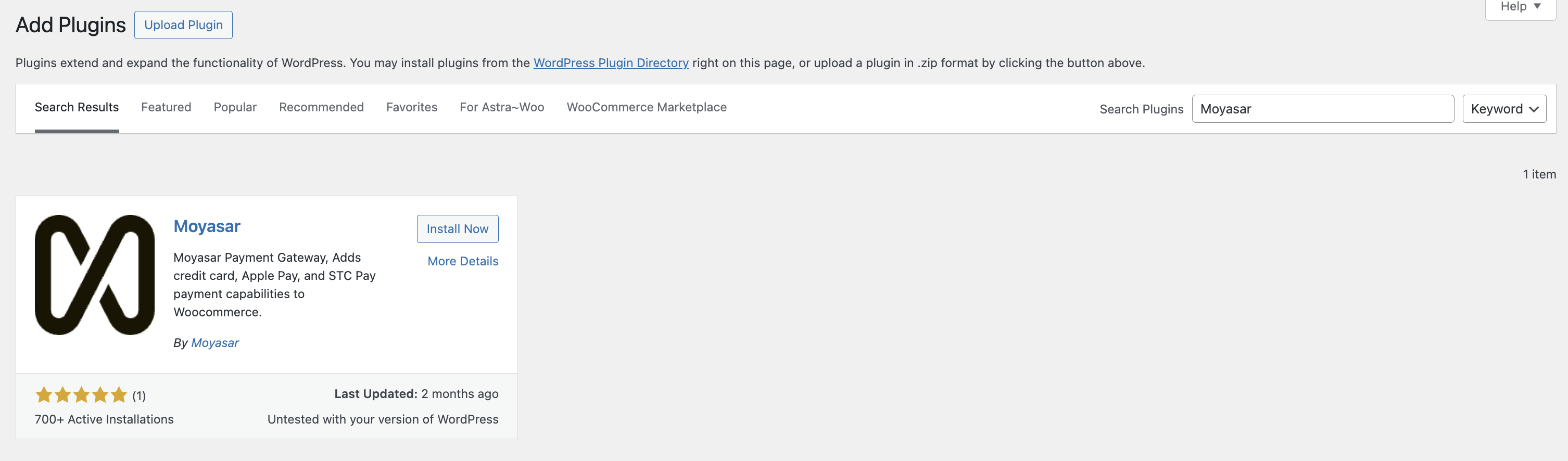
Search for the Plugin
-
In the search bar, type Moyasar.
-
-
Install the Plugin
- Locate the plugin Moyasar Payments in the search results and click the Install Now button.
-
Activate the Plugin
- Once installed, click the Activate button to enable the plugin.
Next Steps
Once installed, proceed to the Configuration section to set up your API keys and payment methods.